Social Narrative: Turning Devices On/Off & Logging In/Out
by The Ticket to Teaching for SPEDucators © 2026
Premier Publisher
Price: $2.5 USD
Subjects: informationalText,lifeSkills,specialed,ela,technicalLearning
Grades: 0
Description
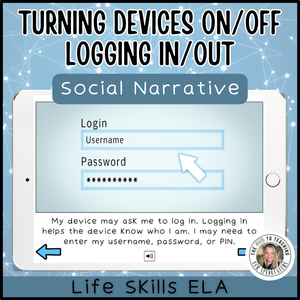
Help your students enhance their foundational technology skills by learning about how to turn devices on/off and log in/out. Students will gain exposure to the various steps for turning on/off a device, how a screen may look for logging in/out, and the importance of keeping login information private. This social narrative is designed for secondary special education, life skills, and transition learners. This activity supports functional reading, independent learning, and workplace readiness. SEL Standards Alignment: CASEL Self-Management CASEL Self-Awareness CASEL Responsible-Decision Making CASEL Social Awareness Functional SPED "I can" Statements: I can identify a computer, laptop, tablet, and phone. I can locate the power button on a device. I can turn on a device using the correct steps. I can identify a login screen. I can enter my username, password, and/or PIN. I can ask for help when I cannot log in. I can use technology for an assigned task. I can keep my personal login information private. I can find the log-out or sign-out option. I can log out of a shared device when I am finished. I can save my work before leaving a device. I can turn off or lock a device appropriately. I can follow technology rules at school, work, or home. I can identify when I need help with a device.
Acknowledgements
Created using Canva with a Canva Pro license ChatGPT by OpenAI was used to assist with the written content in/for this resource. All written content was reviewed and edited by the teacher author for accuracy, educational appropriateness, and alignment with student learning needs.